
[TIL] 타일 맵 구현하기(1)

![[TIL] 타일 맵 구현하기(1)](/_next/image?url=https%3A%2F%2Fdata.develog.develrocket.com%2Fupload%2Fdevelog%2Fuser_1777093328305%2F1777380586472-dre57h%2F_____2026-04-28_212238.png&w=3840&q=75)
본문 로딩 중...
댓글 0
댓글을 작성하려면 로그인이 필요합니다.
아직 댓글이 없습니다. 첫 번째 댓글을 작성해보세요.
바둑판처럼 격자로 나눈 화면에 미리 만들어둔 작은 이미지(타일)을 배치해서 맵을 구성하는 게임 제작 기법
대표적인 게임
작성 계기

약 2달 전에 C#으로 콘솔 게임 프로젝트에서 코어키퍼 모작을 했는데, 오늘 배운 실습을 통해 그때의 타일맵 구현보다 업그레이드 된 버전으로 구현할 수 있을 것 같아 글을 쓰게 됐다.
타일 하나에 대한 정보를 갖는 클래스
Sides 열거형
public enum Sides
{
    None = -1,
    Top, // 3
    Left,  // 2
    Right,   // 1
    Bottom,    // 0
}
맵이 서로 연결되어있는지 확인하기 위해 방향에 대한 열거형을 선언해준다
이때 방향 정보는 열거형으로 관리할 것이다
예) 1000 이면 Top만 연결, 1100이면 Top, Left가 연결, 1111이면 Top, Left, Right, Bottom 모두 연결 이라는 뜻
필드 & 프로퍼티
public int id;
public Tile[] adjacents = new Tile[4];

public int autoTileId;
public int autoFowTileId;

// 맵이 열려있는지 판단
public bool isVisited = false;

public bool CanMove => autoTileId != (int)TileTypes.Empty;
autoTileId는 isVisited가 true인 타일을 보여주는 타일 Id
autoFowTiled는 isVisited가 false인 타일을 보여주는 타일 Id
메서드
public void UpdateAutoFowTileId()
{
    autoFowTileId = 0;
    for (int i = 0; i < adjacents.Length; i++)
    {
        if (adjacents[i] == null || !adjacents[i].isVisited)
        {
            autoFowTileId |= 1 << i;
        }
    }
}

public void UpdateAutoTileId()
{
    autoTileId = 0;

    for (int i = 0; i < adjacents.Length; i++)
    {
        if (adjacents[i] != null)
        {
            autoTileId |= 1 << i;
        }
    }
}

public void RemoveAdjacents(Tile tile)
{
    for (int i = 0; i < adjacents.Length; i++)
    {
        if (adjacents[i] == null) continue;

        if (adjacents[i].id == tile.id)
        {
            adjacents[i] = null;
            UpdateAutoTileId();
            UpdateAutoFowTileId();
            break;
        }
    }
}

public void ClearAdjacents()
{
    for (int i = 0; i < adjacents.Length; i++)
    {
        if (adjacents[i] == null) continue;

        adjacents[i].RemoveAdjacents(this);
        adjacents[i] = null;
    }

    UpdateAutoTileId();
    UpdateAutoFowTileId();
}
Tile 클래스를 기반으로 Tile배열을 만들어 전체적인 맵을 만드는 클래스
TileTypes 열거형
public enum TileTypes
{
    Empty = -1,
    // 0 ~ 14
    Grass = 15,
    Tree,
    Hill,
    Mountain,
    Towns,
    Castle,
    Monster,
}
Empty는 갈 수 없는 Tile이고 0 ~ 15는 맵이 연결된 모양의 개수이다.
Tile에서 autoTile을 계산할때 4비트로 총 16개의 타일 형태를 만들 수 있으므로 0 ~ 15이다
아래 흰 선이 막혀있는 길을 표현한다

이후 16~21은 스프라이트 순서에 맞게 해당 열거형을 선언해주었다.
필드 & 프로퍼티
    public int rows = 0;
    public int cols = 0;

    public Tile[] tiles;

    public Tile[] CoastTiles => tiles.Where(t => t.autoTileId >= 0
                                && t.autoTileId < (int)TileTypes.Grass).ToArray();
    public Tile[] LandTiles => tiles.Where(t => t.autoTileId == (int)TileTypes.Grass).ToArray();

    public Tile startTile;
    public Tile castleTile;
처음에 CoastTiles와 LandTiles를 나누는 이유를 몰랐는데
아래 사진의 경우에서 Tree, Hill, Mountain 등 다양한 건물이나 장애물 등을 배치할때 해안선(맵의 끝부분)에 배치하면 자연스럽게 보이기 위해 그 부분마다 해당하는 sprite가 필요하다.(예: 위아래가 막힌 타일에 Tree가 있는 타일과 좌우가 막힌 타일에 Tree가 있는 타일이 따로 존재해야함)
그래서 LandTiles를 따로 구해 사방에 타일이 존재하는 타일에 건물이나 장애물을 배치하는 것이 자연스럽게 구현된다.
아래 사진은 Land 부분에만 건물들이 있는 것을 볼 수 있다.(상하좌우에 타일이 있는 타일 위)

메서드
    public void Init(int rows, int cols)
    {
        this.rows = rows;
        this.cols = cols;

        tiles = new Tile[rows * cols];
        for (int i = 0; i < tiles.Length; i++)
        {
            tiles[i] = new Tile();
            tiles[i].id = i;
        }

        for (int r = 0; r < rows; r++)
        {
            for (int c = 0; c < cols; c++)
            {
                int index = r * cols + c;
                var adjacents = tiles[index].adjacents;

                if ((r - 1) >= 0)
                {
                    adjacents[(int)Sides.Top] = tiles[index - cols];
                }

                if ((c + 1) < cols)
                {
                    adjacents[(int)Sides.Right] = tiles[index + 1];
                }

                if ((c - 1) >= 0)
                {
                    adjacents[(int)Sides.Left] = tiles[index - 1];
                }

                if ((r + 1) < rows)
                {
                    adjacents[(int)Sides.Bottom] = tiles[index + cols];
                }
            }
        }

        for (int i = 0; i < tiles.Length; i++)
        {
            tiles[i].UpdateAutoTileId();
        }
    }

    public void ShuffleTiles(Tile[] tiles)
    {
        for (int i = tiles.Length - 1; i > 0; i--)
        {
            int rand = Random.Range(0, i + 1);
            (tiles[rand], tiles[i]) = (tiles[i], tiles[rand]);
        }
    }

    public void DecorateTiles(Tile[] tiles, float percent, TileTypes tileTypes)
    {
        ShuffleTiles(tiles);

        int total = Mathf.FloorToInt(tiles.Length * percent);
        // Debug.Log($"{tileTypes}: {total}/{tiles.Length}");
        for (int i = 0; i < total; i++)
        {
            if (tileTypes == TileTypes.Empty)
            {
                tiles[i].ClearAdjacents();
            }

            tiles[i].autoTileId = (int)tileTypes;
        }
    }

    public bool CreateIsland(
    float erodePercent,
    int erodeIterations,
    float lakePercent,
    float treePercent,
    float hillPercent,
    float mountainPercent,
    float townPercent,
    float monsterPercent)
    {
        for (int i = 0; i < erodeIterations; i++)
        {
            DecorateTiles(CoastTiles, erodePercent, TileTypes.Empty);
        }

        DecorateTiles(LandTiles, lakePercent, TileTypes.Empty);
        DecorateTiles(LandTiles, treePercent, TileTypes.Tree);
        DecorateTiles(LandTiles, hillPercent, TileTypes.Hill);
        DecorateTiles(LandTiles, mountainPercent, TileTypes.Mountain);
        DecorateTiles(LandTiles, townPercent, TileTypes.Towns);
        DecorateTiles(LandTiles, monsterPercent, TileTypes.Monster);

        var towns = tiles.Where(x => x.autoTileId == (int)TileTypes.Towns).ToArray();
        ShuffleTiles(towns);

        startTile = towns[0];
        castleTile = towns[1];
        castleTile.autoTileId = (int)TileTypes.Castle;

        return true;
    }
맵을 어떻게 생성할지 스테이지를 만드는 함수
필드 & 프로퍼티
    public GameObject tilePrefabs;
    private GameObject[] tileObjs;

    public PlayerMovement playerPrefab;
    private PlayerMovement player;

    public int mapWidth = 20;
    public int mapHeight = 20;

    private float startX;
    private float startY;

    [Range(0f, 0.9f)]
    public float erodePercent = 0.5f;
    public int erodeIterations = 2;
    public float lakePercent = 0.01f;
    public float treePercent = 0.2f;
    public float hillPercent = 0.2f;
    public float mountainPercent = 0.1f;
    public float townPercent = 0.1f;
    public float monsterPercent = 0.1f;

    public Vector2 tileSize = new Vector2(16, 16);

    public Sprite[] islandSprites;
    public Sprite[] isFowSprites;

    private Map map;
    public Map Map => map;

    private int lastHoveredTileId = -1;
메서드
    private void Start()
    {
        startX = transform.position.x - mapWidth * tileSize.x * 0.5f + tileSize.x * 0.5f;
        startY = transform.position.y + mapHeight * tileSize.y * 0.5f - tileSize.y * 0.5f;
    }

    private void Update()
    {
        if (Input.GetKeyDown(KeyCode.Space))
        {
            ResetStage();
        }
    }

    private void ResetStage()
    {
        map = new Map();
        map.Init(mapHeight, mapWidth);
        //map.CreateIsland(coastErodePercent, coastErodeIterations);
        map.CreateIsland(erodePercent, erodeIterations, lakePercent,
        treePercent, hillPercent, mountainPercent, townPercent, monsterPercent);
        CreateGrid();
        CreatePlayer(); // 여기서 오픈해주는걸 필요함
    }

    private void CreateGrid()
    {
        if (tileObjs != null)
        {
            foreach (var tile in tileObjs)
            {
                Destroy(tile.gameObject);
            }
        }

        tileObjs = new GameObject[mapWidth * mapHeight];

        var position = new Vector3(startX, startY, 0f);

        for (int i = 0; i < mapHeight; i++)
        {
            for (int j = 0; j < mapWidth; j++)
            {
                var tileId = i * mapWidth + j;
                var newGo = Instantiate(tilePrefabs, transform);
                newGo.transform.position = position;
                position.x += tileSize.x;

                tileObjs[tileId] = newGo;
                DecorateTile(tileId);
            }
            position.x = startX;
            position.y -= tileSize.y;
        }
    }

    public void DecorateTile(int tileId)
    {
        var tile = map.tiles[tileId]; // 데이터
        var tileGo = tileObjs[tileId]; // 게임 오브젝트
        var ren = tileGo.GetComponent<SpriteRenderer>();

        tile.UpdateAutoFowTileId();

        // 여기서 분기해서 fow 설정
        if (tile.isVisited)
        {
            if (tile.autoTileId != (int)TileTypes.Empty)
            {
                ren.sprite = islandSprites[tile.autoTileId];
            }
            else
            {
                ren.sprite = null;
            }
        }
        else
        {
            ren.sprite = isFowSprites[tile.autoFowTileId];
        }
    }


스페이스바를 누를때마다 맵이 계속 재생성된다
캐릭터 배치와 방문하지 않은 타일에 대한 처리는 구현은 해놨지만 일단 다음 포스트에 다뤄보겠음..

![[TIL] 타일맵 구현하기(2)](https://data.develog.develrocket.com/upload/develog/user_1777093328305/1777550829593-dw72aa/_____2026-04-30_210528.png)
유니티 타일맵 구현하기
![[Unity] #if, #endif](https://data.develog.develrocket.com/upload/develog/user_1777093328305/1786778972982-xrtzbj/_____2026-08-15_162920.png)
if, endif
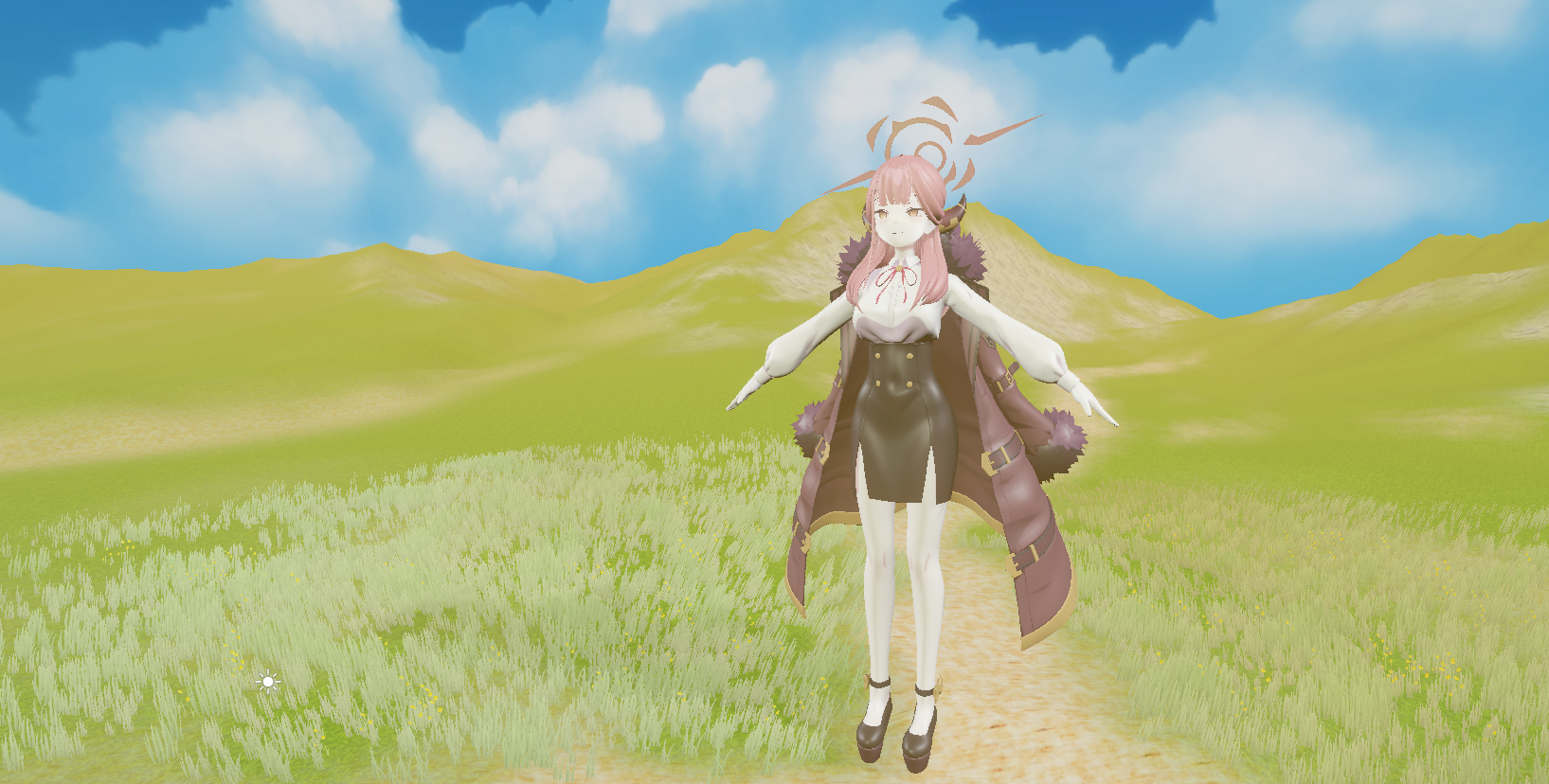
일단 MMD가 무엇인가? MikuMukuDance라는 2008년도에 만들어진 C++기반 프로그램으로 캐릭터 모델링을 애니메이션에 적용해 모델을 춤추게 하는 프로그램이라고 보시면 됩니다 이름에서부터 당연히 하츠네미쿠 모델링을 기반으로 춤추게 하려는 게 목적입니다 예시영상 해당 영상을 만드신분은 이 후 넥슨에 취업하셨다고 합니다 요즘으로 따지자면 유니티로 캐릭
일단 MMD가 무엇인가? MikuMukuDance라는 2008년도에 만들어진 C++기반 프로그램으로 캐릭터 모델링을 애니메이션에 적용해 모델을 춤추게 하는 프로그램이라고 보시면 됩니다 이름에서부터 당연히 하츠네미쿠 모델링을 기반으로 춤추게 하려는 게 목적입니다 예시영상 해당 영상을 만드신분은 이 후 넥슨에 취업하셨다고 합니다 요즘으로 따지자면 유니티로 캐릭
